
Your business domain is the address where customers find your website and the ending of your email address, for example kahvilamaija.fi. A good name is short, easy to type and matches your business name. A .fi domain is usually a natural choice for a Finnish business. Getting one has three steps: check availability, ensure it does not infringe a protected name, and register through a registrar. This guide covers choosing the name through to using it for your website and email, including costs, ownership and security.
At a glance
- A domain is different from a website. The domain is the address, hosting is where website files and email are stored, and the website is the content visitors see.
- Choose a short, clear name that matches your business name or trademark and cannot be confused with another domain.
- A .fi domain is always registered through a registrar. Check availability for free using Traficom's service.
- Register it in your business's name. A .fi domain must identify its actual user. Incorrect details can result in removal.
- Secure access. Two-factor authentication and regular checks help prevent website and email outages or a domain falling into the wrong hands.
Domain, hosting and website: what is the difference?
Many entrepreneurs use these terms interchangeably. Managing the whole is easier when you distinguish the three parts.
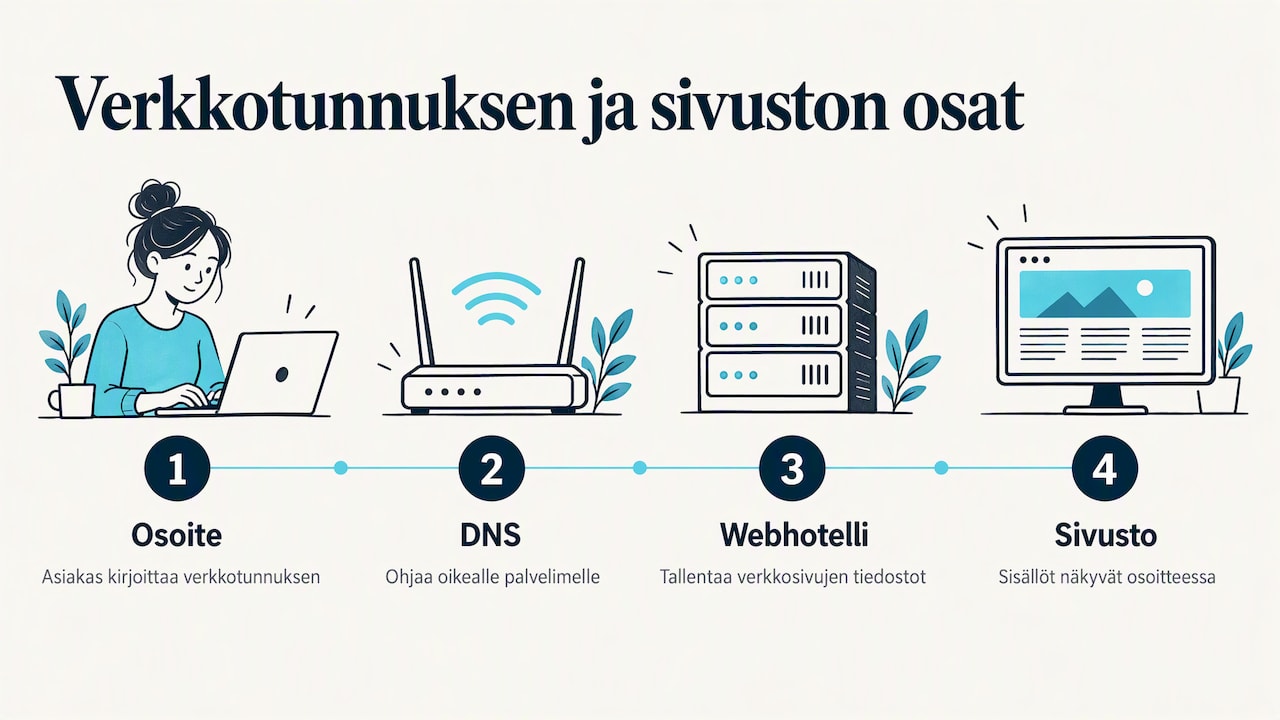
Domain name is a unique internet address. Technically, it is a readable name that DNS translates into an IP address computers understand. When you type yritykseni.fi into your browser, DNS tells it which server hosts the website.
Web hosting is server space where website files are stored and often email operates too. Connecting the domain to hosting makes the website appear at that address.
Website is the content itself: home page, service descriptions, contact details and images.
Think of the domain as a street address, hosting as the plot and building, and the website as what customers see inside. An address alone has no pages; pages without a domain depend on a provider's subdomain. Plan the three together.
Why a business needs its own domain
Your own address underpins a small business's online presence and serves several purposes:
- A website under your own name. Customers remember parturisanna.fi more easily than a long platform subdomain, and the address stays with you through redesigns.
- Credible email. sanna@parturisanna.fi looks more established than a free email address. Invoices and quotes appear professional.
- Protecting your brand. Registering your business name yourself prevents others from using it as an address.
- Redirects and campaigns. An extra address can send visitors to the main website or a campaign page.
- Print and social media. Use the same address on business cards, vehicles and social profiles.
You do not have to use the address immediately. According to Traficom's guidance, a .fi domain can be reserved without active use as long as registration remains valid. If you are starting a business, reserve the name now even if the website comes later.
How to choose a good domain
You will live with the name for years. Changing it means new business cards, email addresses and rebuilding search visibility. Traficom advises choosing a clear, distinctive, easy-to-pronounce name that cannot be confused with another domain. Match your business or trademark and consider email use too.
A good name passes these practical tests:
- The phone test. Can you say the address by phone without spelling it? If you must explain "two s's and a hyphen", it is too difficult.
- Brevity. Short names are easier to remember and type on mobile. A long business name can often be shortened: Virtasen Rakennus ja Remontti Oy can also use virtasenremontti.fi.
- Avoid trendy words. Avoid slang and passing buzzwords that age quickly.
- Use hyphens and numbers carefully. Hyphens are allowed but easily forgotten. Numbers raise the question "digits or words?".
- The email test. Write etunimi@nimi.fi and check that it looks sensible in a signature.
Characters and accented letters
According to Traficom's guide, a .fi domain has 2–63 characters. It allows a–z, digits 0–9, hyphens and certain national characters such as ä and ö. Accented domains are possible, but many businesses register both forms for practical reasons (kenkäkauppa.fi and kenkakauppa.fi). Keyboards and email systems handle accents differently, so the unaccented version is usually the primary address.
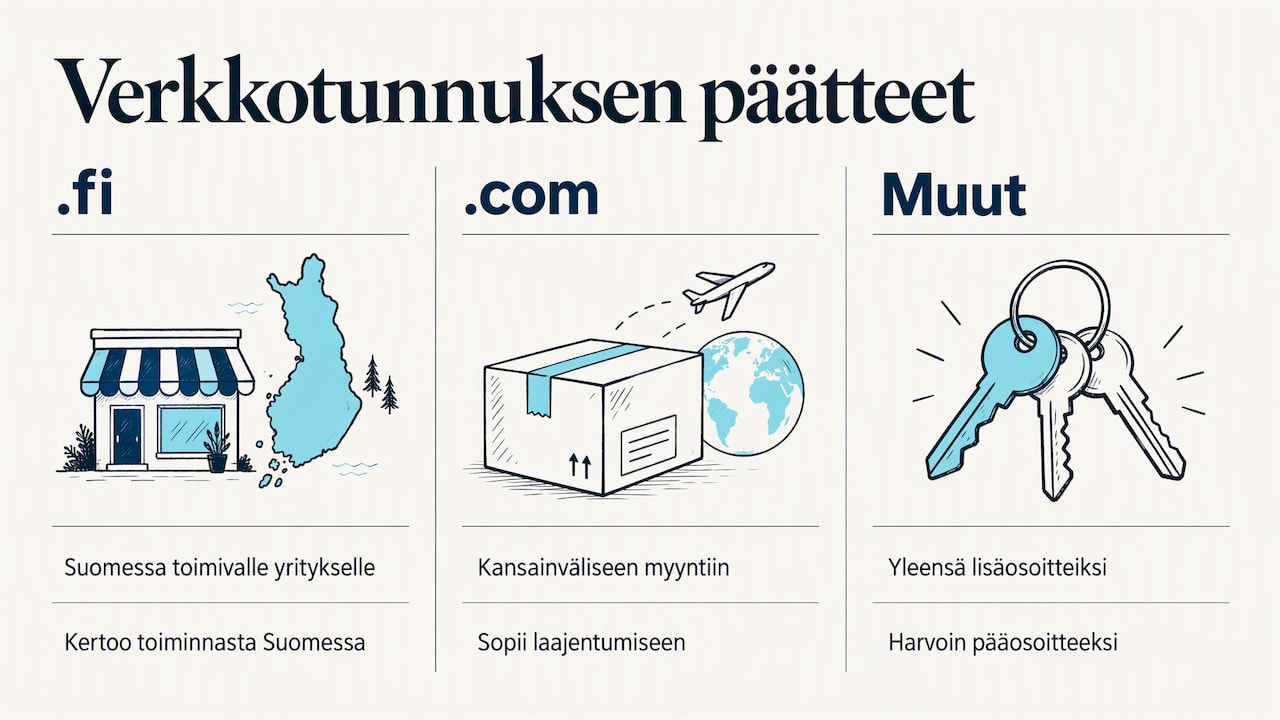
.fi, .com or another ending?
If your customers are in Finland, .fi signals local Finnish-language service. For international sales or expansion, .com may suit the primary address better. Hundreds of other extensions exist, but small businesses usually use them as extras.
Registering common extensions and likely misspellings, then redirecting them to the primary address, helps customers find you and prevents lookalike scam domains.
Protected names and trademarks
A domain must not infringe someone else's protected name or trademark. Traficom's registrar guide says protected names include names and marks in Finland's trade, trademark, association, foundation and political party registers, and EU trademarks. Check the trade and trademark registers before registering. If ownership is unclear, consult a trademark lawyer. Registration fees are not refunded in a dispute.
Registering a domain step by step
According to Suomi.fi's service description, obtaining a .fi domain starts with checking availability and lawfulness, then choosing a registrar. In practice:
- List 3–5 names. Your favourite may be taken, so alternatives save time.
- Check availability. Search Traficom's free service to see whether a .fi name is available. It also lists registrars.
- Check lawfulness. Review trade names and trademarks as described above.
- Choose a registrar. You do not register directly with Traficom. A listed registrar handles it. This may be your website developer or maintainer providing a domain in a service package.
- Register in your business's name. Identify the business and its Business ID as the user, not the developer or an employee.
- Choose the registration period. A .fi domain can be registered for 1–5 years at a time.
- Connect it to services. DNS settings direct the address to website hosting and email.
According to Traficom's guide, registrars also handle updates, renewals, registrar changes, transfers and termination at customers' request. Choose a partner that remains easy to work with over the years.
How much does a domain cost?
Traficom's search services are free, but the domain and registrar's services cost money. According to Suomi.fi, each registrar sets its own prices, based on the fee it pays Traficom. Traficom's registrar guide (2026) lists these fees:
| Registration period | Traficom fee (excl. VAT) |
|---|---|
| 1 year | 12 € |
| 2 years | 24 € |
| 3 years | 36 € |
| 4 years | 48 € |
| 5 years | 60 € |
The customer's price is higher because the registrar adds its service fee and VAT. International extensions such as .com are priced by each registry and registrar.
When comparing, look at three things:
- Renewal price. A first-year offer may be cheap, but the price paid every year afterwards matters more.
- What is included. Are DNS, email and hosting included or purchased separately?
- Refunds. Traficom's guide says registration and renewal fees are not refunded even if a domain was registered by mistake or later removed. Double-check spelling before paying.
If registration expires, according to Traficom, the domain becomes available to anyone after a protection period. Renewal reminders can end up in spam, making automatic renewal or a longer registration a safer choice.
Who owns the business domain?
This is a common small business pitfall. according to Traficom, businesses, organisations and individuals may register .fi domains through a registrar regardless of domicile. The domain must, however, be registered to its actual user and incorrect user details can lead to removal.
In practice, this means three things:
- The business domain belongs in the business's name. If it was registered to a developer, former partner or employee, correct it through the registrar with a user transfer.
- Keep contact details current. Update domain details when your address, email or business form changes, such as moving from sole trader to limited company.
- Know your registrar. Record the registrar, expiry and login details somewhere accessible even during your holiday.
The principle is the same with a full-service provider: the address is your business's property and the register should reflect that.
Connecting the domain to website and email
After registration, connect the name to services through DNS settings:
- Name servers identify where domain settings are managed. Your hosting or DNS provider normally specifies them.
- A and CNAME records point the address and its www version to the website server.
- MX records direct email to the correct mail server.
- TXT records (SPF, DKIM and DMARC) tell recipients which servers may send mail for your business, reducing the risk of invoices and quotes going to spam.
Changes usually spread across the internet within hours, but can take longer. Avoid launching or moving email on your busiest sales morning. If this feels unfamiliar, let your developer arrange it so website, email and protections work together from day one.
Keep your domain secure
The domain is your business's most critical digital key. Traficom's secure management guidance says a hijacked domain can block websites, stop email and redirect users to fake websites. It recommends:
- protecting registration changes with authentication, typically two-factor authentication in the registrar's control panel
- following an agreed procedure for changes rather than acting on an email request alone
- checking registration and DNS details regularly
- enabling DNSSEC signing where possible.
A simple routine is often enough: credentials in a password manager, two-factor authentication and an annual check of user details, expiry and DNS. Be wary of emails demanding "domain renewal" payments to unknown parties. Genuine renewal invoices come from your registrar.
How we see it
We often see the same situation: a small business registered a domain somewhere, built the website elsewhere and uses a third provider for email. Nobody remembers the registered owner or renewal date. When something breaks, the entrepreneur must investigate technology instead of serving customers.
We recommend thinking of the domain, website and maintenance together. Choose the name carefully, register it to your business and entrust technical tasks to someone who explains them clearly and prices transparently. You know what you pay for and can focus on your work.
We build a responsive website around your wishes. Hosting, domain and maintenance are optional. Keep your current provider or ask us to update your existing website.
Kalle
Domain, website and maintenance in one place
If you want your address, website and technical maintenance handled together, Kajo Template can help. A single-page Landing Page costs €300 as a total price and a multi-page Business Website €650. Hosting + domain costs €9.90/month. For ongoing maintenance and small content changes, Hosting + maintenance costs €30/month.
Request a free demo before buying to see your business at its own address. Read more about business websites or explore how to create your own business website easily.
Frequently asked questions
How do I check domain availability?
Check .fi availability for free through Traficom. For other extensions, use registrars' domain searches. Also ensure the name does not infringe a registered business name or trademark.
Can a sole trader register a .fi domain?
Yes. Businesses, organisations and individuals may register .fi domains regardless of domicile. Register it to the actual user: for a sole trader, your own business with its Business ID.
Can I change registrar later?
Yes. Your new registrar handles this routine procedure on request. The domain and registration period remain, but check DNS settings so website and email continue working.
What happens if I forget to renew?
When registration expires, website and email stop working. After the protection period, anyone can register the name. Automatic renewal or a multi-year registration helps prevent this.
Sources
Traficom: How to get a .fi domain Traficom: What makes a good domain? Traficom: Domain name registrar guide Traficom: .fi domains Traficom: Secure domain management Suomi.fi: Search for available .fi domains or registrars