

A small business website need not be large or expensive. Most sole traders, self-employed entrepreneurs and small businesses need a clear site explaining what they do, for whom, at what price and how to get in touch. One page is a good start; a 3–5-page website suits multiple services. This guide covers essential content, what can wait, package contents, legal requirements and total costs.
At a glance
- Customers search online before buying, so even a small business needs a website that answers their questions.
- The essentials are services, prices, contact details, business information and a clear call to action.
- One landing page often suits a solo entrepreneur; a growing small business may need several pages.
- Before ordering, check domain ownership, maintenance contents and provider-switching terms.
- Cookies require genuine consent, and websites should be mobile-friendly and easy for everyone to use.
Why a small business needs its own website
Customers who hear a recommendation or see your advert will almost certainly search for you before contacting you. According to Seinäjoki University of Applied Sciences' Pk-Digi project, around 70% of customers search online for product and service information before buying. If results are empty or lead only to an old social post, many choose a competitor whose details are easy to find.
Your own website does three things better than a social profile:
- It sells even when you are not at work. Good websites act as a salesperson and marketer in the evenings, at weekends and during holidays.
- It builds trust. A professional website makes even a small business look credible. Services, prices and contact details in one place make enquiring easier.
- It is yours. Social platform rules, reach and design can change at any time. Your own domain and website stay under your control.
This matters especially for sole traders whose business is often one person. When you cannot answer the phone during a job, the website answers customers' first questions.
A website also helps local visibility. Clearly describing your service and area, such as "plumbing in Jyväskylä", helps search engines show you to relevant customers. Social posts disappear in days; a good service page can generate enquiries for years.
What a small business website should contain
According to Pk-Digi's guidance, a user-friendly website includes products and services, current prices, contact details, an address or map link, opening hours and social links, with familiar navigation. A practical structure looks like this:
- Home page or top section: one sentence about what you do and for whom. "Home cleaning in Tampere for families and seniors" says more than "Quality service".
- Services: give each service its own section. Explain what is included and who it suits.
- Prices: at least starting prices or examples. A service page with no prices discourages many enquiries.
- About the business: who you are, your background and why customers can trust you. A portrait works better for a small business than a stock office photo.
- Contact details: phone, email, service area or address, and opening or availability hours.
- Basic business details: your business name and Business ID show a real business is behind the site. These are already publicly available in the business register so displaying them reveals nothing confidential.
- Call to action: a clear button such as "Request a quote", "Book" or "Call". It should be visible on every page without scrolling.
The website must also work on phones. Pk-Digi recommends responsive design and search engine optimisation and a structure that can later accommodate booking or ecommerce.
What can wait until later?
Many small businesses delay publication because they want everything ready at once. These items are unnecessary in a first version:
- A blog or news section unless you have time to update it. Old news makes a business seem inactive; omitting it is better.
- An online store if you sell services rather than products. Booking or a contact form is enough.
- Multiple languages if your customers speak Finnish.
- A separate page for every minor service. One clear service page beats ten thin ones.
- Heavy animations and videos that slow the website on mobile connections.
A useful rule: publish what helps customers contact you first, then add more when you know what they ask.
Which structure suits you?
The right scope depends on your services and how customers find you. Here are three typical situations.
Solo entrepreneur: one clear page
If you sell one or two services, such as photography, massage, renovation help or graphic design, a single landing page is often best. Customers scroll through answers in a natural order: what, for whom, how much, who and how to order. One page is quick to build, easy to update and works well for adverts and social media.
Small business: a 3–5-page website
With several services or search traffic, divide content into separate pages. A typical structure is home, services or service-specific pages, about, references and contact. Each service page can answer a specific query such as "roof renovation Oulu" or "sole trader bookkeeping", improving search visibility.
Private individual: a personal website
Individuals also want websites: freelancers for portfolios, jobseekers for CVs or hobbyists for projects. The structure can resemble a solo entrepreneur's: introduction, work samples and contact. At Kajo Template, the website is designed around your wishes.
The same principle applies to all three: start small and expand when needed. Build with room for extra pages and features without starting again. Read how simple websites can be clear and easy to expand.
How much does a small business website cost?
Website prices in Finland vary depending on the developer and contents. Key factors are:
- Page count and structure: one page costs less than a multi-page website.
- Implementation scope: content volume, desired design and features affect the work.
- Features: booking, ecommerce and integrations add work.
- Content production: whether you write and take photos or have them created for you.
- Ongoing costs: domain, hosting, security updates and maintenance are usually billed monthly or annually.
Compare total costs rather than starting prices. A low one-time fee can become expensive if every change is billed separately or the provider owns the domain.
Kajo Template's prices are public so you know the total in advance:
| Service | What you receive | Price |
|---|---|---|
| Landing Page | Single-page website, design and development | €300 total price |
| Business Website | Multi-page business website, design and development | €650 total price |
| Hosting + domain | Website hosting and domain | €9.90/month |
| Hosting + maintenance | Hosting, maintenance and technical support | €30/month |
For example, an entrepreneur choosing one page and Hosting + domain pays €300 plus 12 × €9.90 in year one, totalling €418.80. After that, only the monthly fees remain.
A small business choosing a multi-page website and Hosting + maintenance pays €650 plus 12 × €30 in year one, totalling €1,010. Maintenance, technical support and hosting are then arranged for the year, without remembering security updates yourself.
What should a website package include?
A "website package" means different things to different providers. Check this list before ordering:
- The domain in your own name. Ensure it is registered to your business or can be transferred to you. This is crucial because it is your business's online address.
- Reliable hosting. Ask where the website is hosted, how quickly it loads and what happens if the server fails.
- An SSL certificate. The address must start with https. Otherwise browsers warn visitors and contact form data is transmitted without protection.
- Backups. Check how often backups are taken and who restores the website if something goes wrong.
- Mobile-friendliness. Test the demo or a reference website on your phone before ordering.
- Changes and updates. Can you edit text yourself, or are small changes included in maintenance? What does extra work cost?
- Switching terms. Ask directly whether you can take the website and content with you if you change providers.
If the quote does not answer these questions, request written answers before agreeing.
Maintenance keeps a website alive
Websites are not one-off projects. Prices, services and contact details change. According to Pk-Digi, years-old information can make a business look inactive so content needs to stay current.
Maintenance typically includes:
- updating content such as prices, opening hours and new services
- security and software updates
- taking backups and restoring them if needed
- monitoring website functionality and speed
- reviewing visitor statistics to see where customers come from.
Small businesses often find maintenance squeezed out by other work. Forgotten security updates or old prices can make a website work against the business. A fixed monthly service offers predictable costs without technical worries.
Agree on a routine too. Review your website quarterly: are prices correct, does the contact form work and are services current? If maintenance is outsourced, send changes promptly so the website says the same as you do on the phone.
Cookies, privacy and accessibility
A Finnish business website must follow rules that apply even to small businesses.
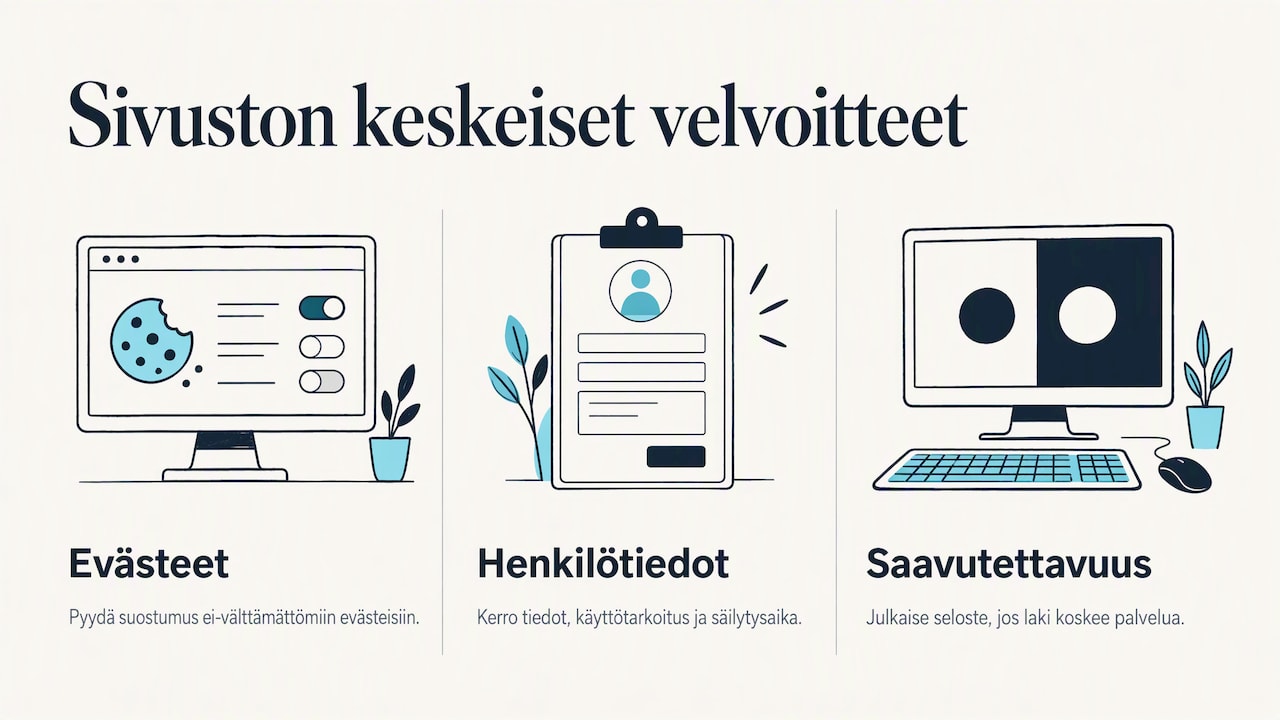
Cookies. The GDPR and Finland's Act on Electronic Communications Services require visitors to be told about cookies and consent to be requested for non-essential cookies. This includes analytics and marketing cookies. According to the National Cyber Security Centre, owners must clearly explain cookie types, purposes and lifetimes, and simply continuing to use the website is not valid consent. Visitor tracking therefore needs a functioning banner that offers a genuine choice.
Personal data. A contact form or booking system collects personal data. Explain in the privacy notice what is collected, why and how long it is retained. If unsure, consult a privacy lawyer or your accountant.
Accessibility. The Act on the Provision of Digital Services (306/2019) requires services within its scope to meet accessibility requirements and publish an accessibility statement. Check whether your service is covered. Even otherwise, good contrast, alt text, clear headings and keyboard navigation help everyone and support search visibility.
Preparing for a website project
Website development is quicker when groundwork is done before the first meeting. These five steps save time and money:
- Write a one-sentence description. What do you do, for whom and in which area? This becomes your home page headline.
- List common customer questions. What do people ask by phone or message? Answer each question on the website.
- Gather services and prices. Write a couple of sentences and a price or starting price for each service. Rough text is enough to begin with.
- Choose images. Your own photos of work, products and yourself say more than stock images. Phone photos in good light often work well.
- Decide what visitors should do. Call, message or book? A clear goal guides the structure and buttons.
Find two or three websites whose style you like and explain what works. This helps the developer understand your wishes quickly.
Our view
We have built websites for entrepreneurs, small businesses and individuals. One point recurs: the best website is one that gets published. Many wait months for perfection when a clear, well-built website could already attract customers.
We start with your needs rather than technology. Who do you sell to, what do customers ask and what should they do on the site? This informs a responsive website with a clear structure you understand. No technical expertise is needed, leaving you free to focus on work.
The total price covers the agreed delivery of your custom website. Choose hosting and maintenance only if needed. The free demo is revised around your wishes before buying. You also see and approve the finished site before payment.
Kalle
Getting started with Kajo Template
If you want a website without technical hassle, we build it for you. A single-page Landing Page costs €300 and a multi-page business website €650 as total prices. Choose optional monthly services: Hosting + domain €9.90/month or Hosting + maintenance €30/month.
Request a free demo to see how your business website could look before deciding. Find more options on websites for businesses.
Frequently asked questions
Is a single-page website enough for a small business?
Often yes, especially for one or two services. One page can clearly present services, prices, an introduction and contact details. Expand to several pages later if services grow.
Does a sole trader need a website if they use social media?
The law does not require one, but it is worthwhile. A social profile belongs to a platform's environment, while your website and domain are yours. Search also reaches customers who do not use the same social service.
How quickly can a small business website launch?
Timing depends on scope, available materials and requested changes. Kajo Template designs each website around your wishes, revises the free demo based on feedback and agrees the final schedule with you.
Can I edit the website after launch?
You receive Kajo Template's website files after payment. Update them yourself or use another developer. With Hosting + maintenance, request content changes by WhatsApp or email. Existing websites can also be updated without moving hosting.
What do Kajo Template's example websites mean?
The Landing Page and business website examples illustrate possible structures and scope. They are not ready-made templates for sale. Your website is designed and revised around your wishes.